How to create a Resume ?
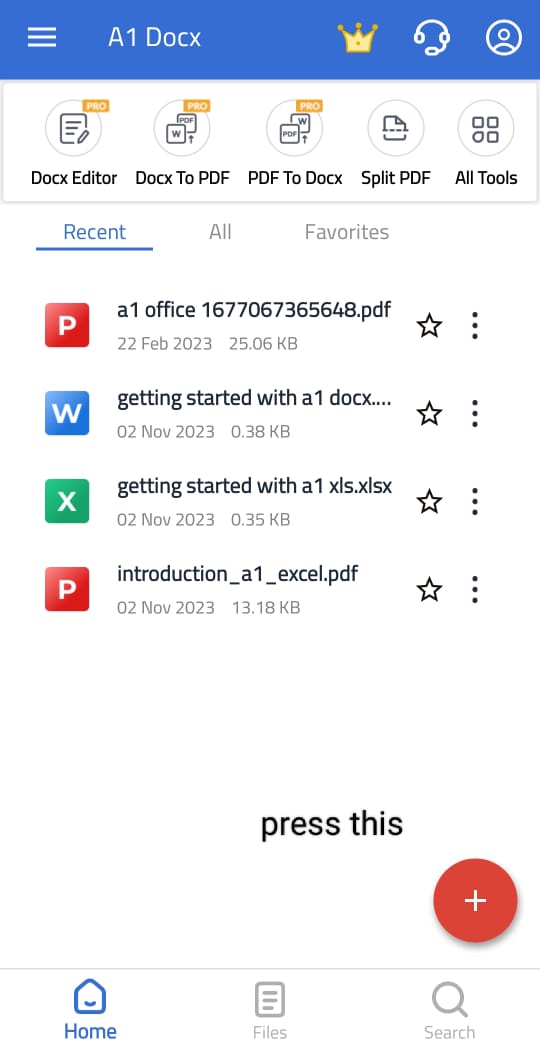
Step 1 - Click on the " + " button on the bottom of home screen
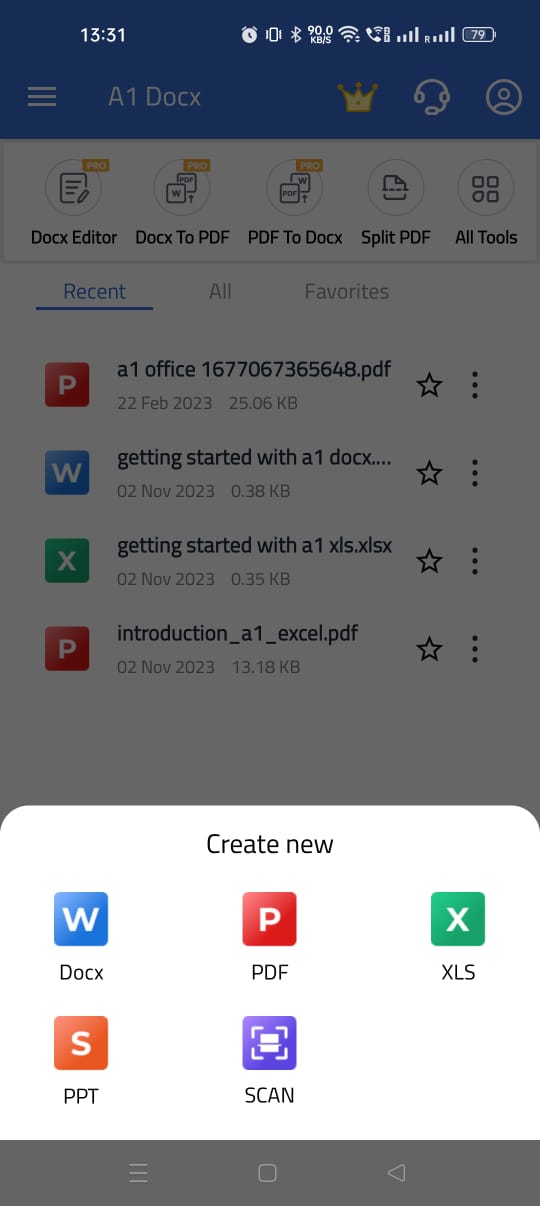
Step 2 - Click Doc Format
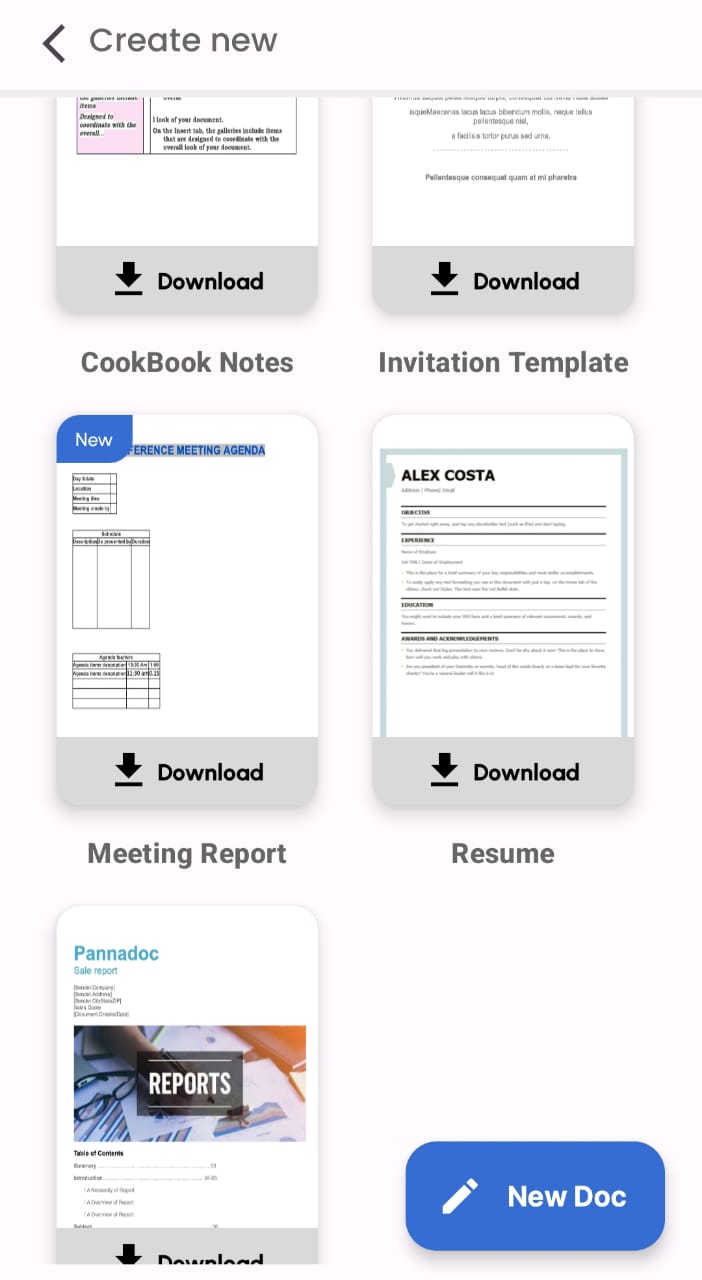
Step 3- Find "Resume" option in the list of templates

Step 1 - Click on the " + " button on the bottom of home screen
Step 2 - Click Doc Format
Step 3- Find "Resume" option in the list of templates
Still need help? Contact Us Contact Us